
Guides/Your docs site
How search works
Every docs site ships with search built in. It is fast, matches on meaning as well as exact words, and needs no setup.
Opening search
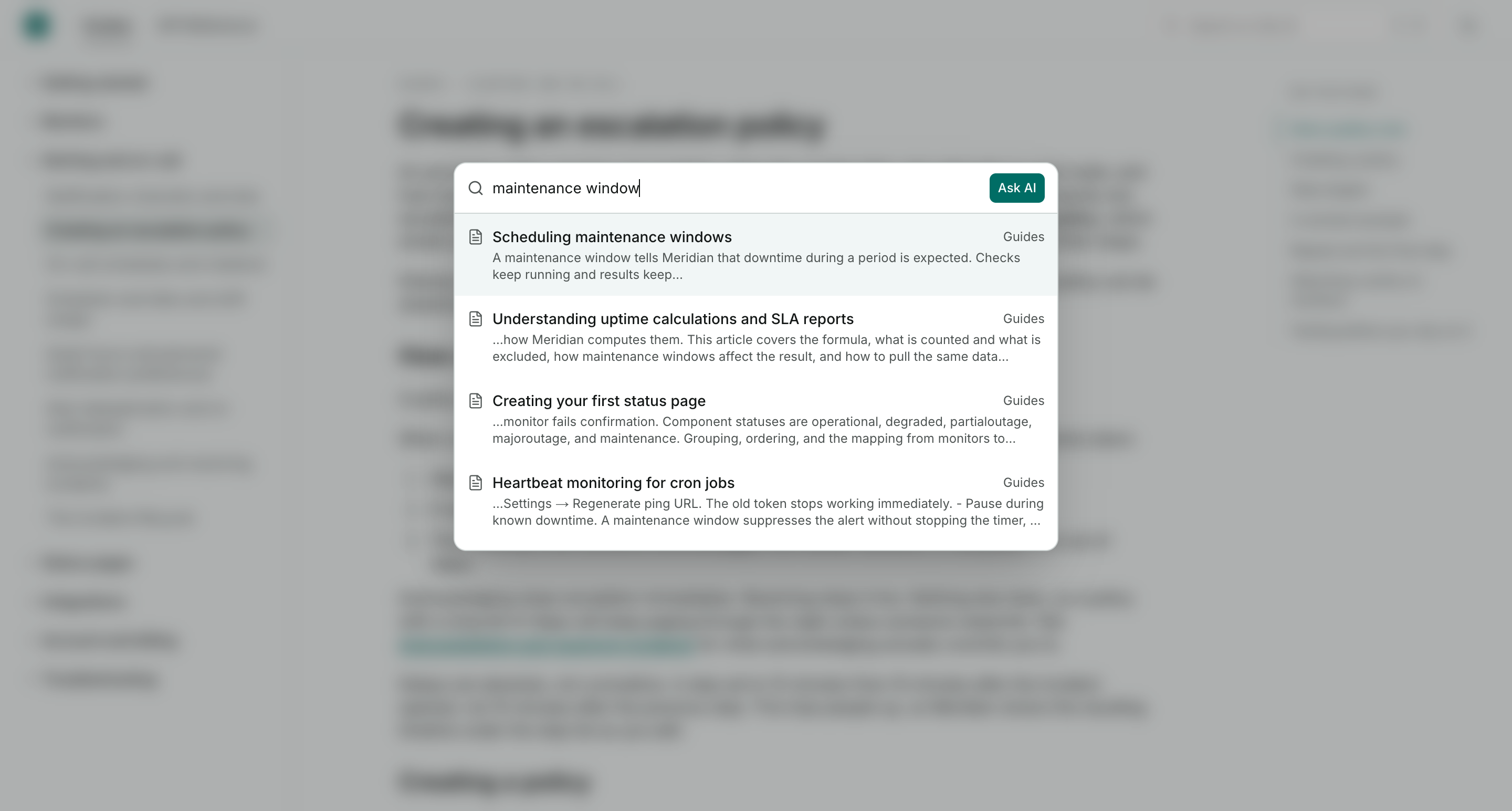
Visitors click the search field in the header, or press Cmd+K on Mac or Ctrl+K on Windows and Linux. Results update as they type, starting from the second character.
How results are found
Search runs two matchers over your published articles and merges their results:
- Keyword matching finds articles containing the words in the query, tolerant of partial words and small variations
- Semantic matching compares the meaning of the query with the meaning of each article, so "remove a teammate" can surface an article titled "Manage your team members" even with no words in common
Long articles are also matched section by section, so a query can surface an article on the strength of one deep subsection.
Each result shows the article title and a snippet centered on the first match. Visitors get up to ten results, best first.
Staying current
The index updates when you publish. New articles and edits are searchable moments after going live, and drafts never appear in results.
When search comes up empty
If nothing matches, pressing Enter hands the query to Ask AI, which answers in plain language from your docs and cites its sources. See Ask AI on your docs site.
Limits
Queries need at least 2 characters, and each visitor can run 30 searches a minute, which ordinary reading never approaches. Full details in Limits and quotas.