
Guides/Team and account
Invite your team
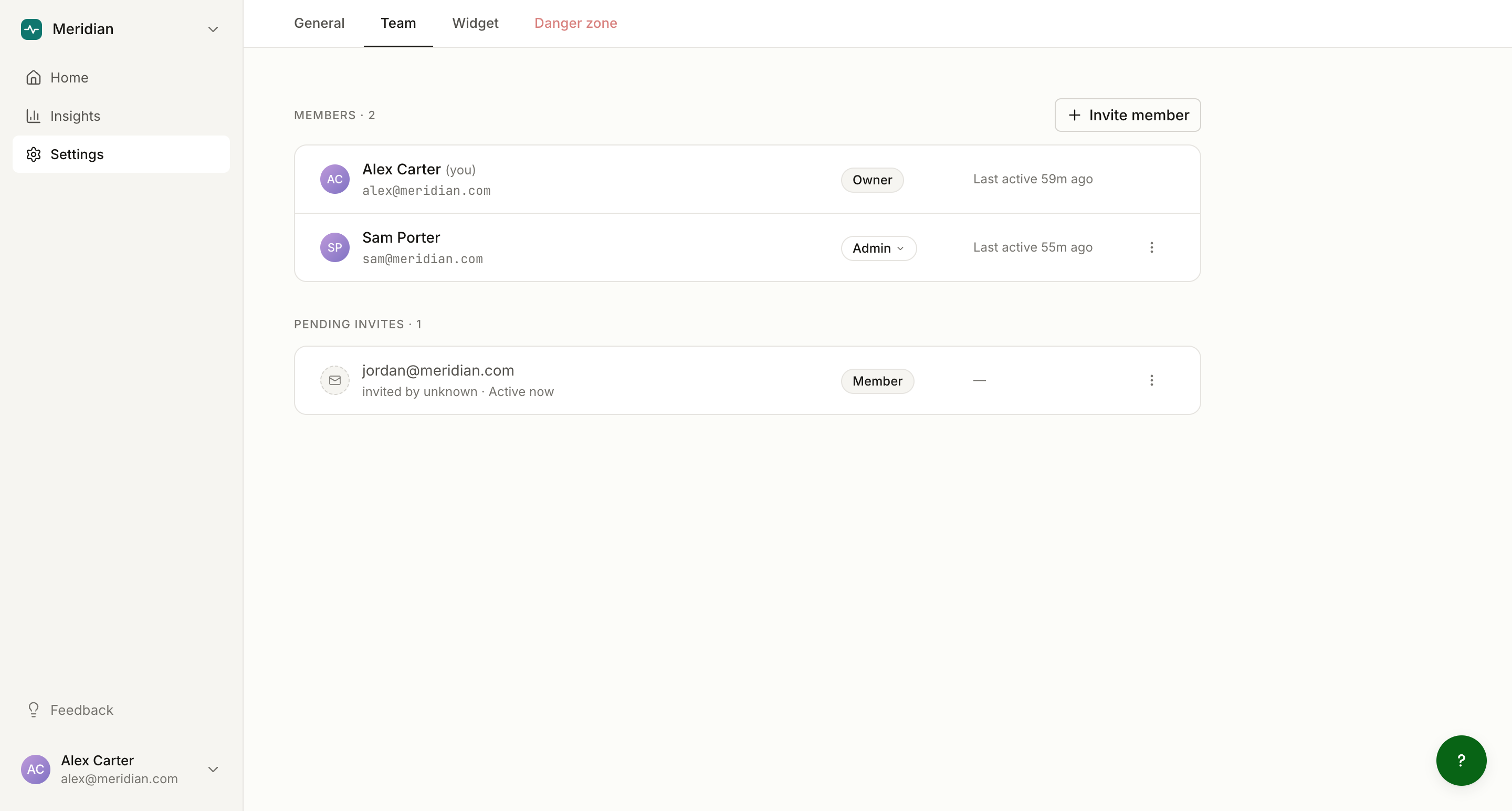
To invite a teammate, open Settings, then Team, and enter their email address and a role. Owners and admins can invite; members cannot.
How invitations work
The invitation email is a notification, not a magic link. Your teammate:
- Receives an email saying they have been invited to join your project on Clayo.
- Signs in at clayo.com with the invited email address, using a 6-digit email code or Google.
- Sees the invitation right after signing in, and accepts or declines in the app.
Acceptance is tied to the email address. If your teammate normally signs in with a different address, invite the one they will actually sign in with.
Invitations expire after 30 days. The Team page lists pending invitations with the inviter, the role, and time remaining, and lets you cancel any of them.
Choosing a role
Invite as a member for teammates who write and read docs, or as an admin for teammates who should also manage settings, domains, the widget, and the team itself. You can change roles later. Full breakdown: Roles and permissions.
Everyone you invite can connect their own AI coding tool and author docs, whatever their role: see Connect your AI tool.
After they join
New members appear on the Team page, and their publishes show up in the activity feed on Home. Each teammate has their own display name and photo: Manage your account.