
Guides/Your docs site
Ask AI on your docs site
Ask AI lets visitors ask questions in their own words and get answers grounded in your published docs. It is the same engine that powers the support widget, running directly on your docs site.
Opening Ask AI
From the search dialog, visitors click Ask AI, or press Enter when their query has no results. The panel opens beside the article on desktop and takes the full screen on mobile.
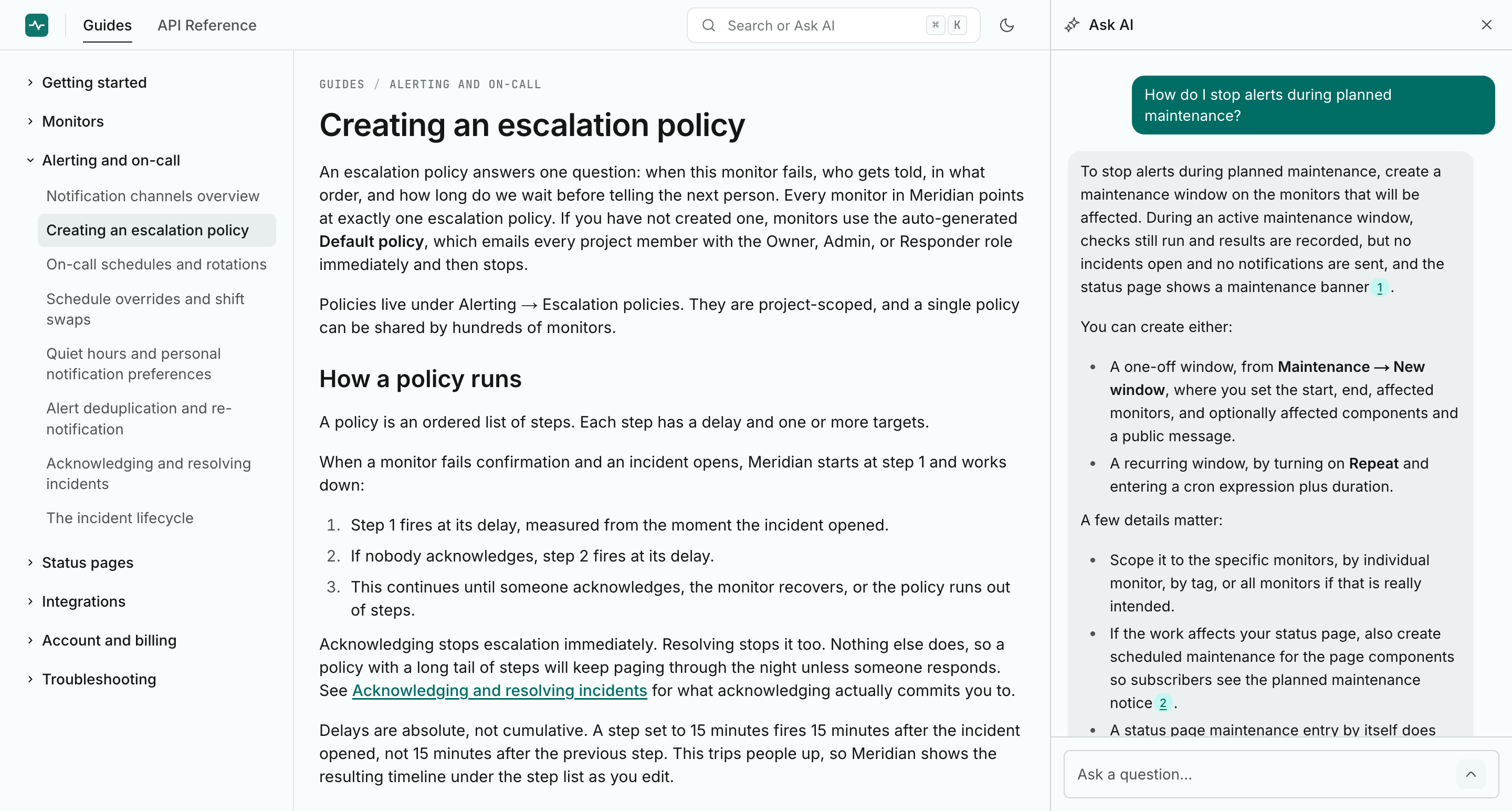
Answers with citations
Answers stream in as they are written. When an answer draws on an article, it carries a numbered chip that links straight to the source. Answers come only from your published docs: the model answers from the retrieved articles, not from general knowledge.
Follow-up questions
Visitors can ask follow-ups in the same conversation, and each answer takes the earlier exchange into account. A conversation holds up to 15 questions; after that, visitors start a fresh one.
When it cannot answer
If your docs do not cover a question, Ask AI says so plainly instead of guessing, and offers your support email so the visitor can reach a human.
Set your support email in Settings, under General. An honest "I do not know" should always come with a next step.
Privacy
Visitors do not sign in and are not identified. Conversations are stored anonymously for 30 days so your team can read them in Insights and spot gaps in the docs. See Data retention and privacy.
What powers it
Answers use an OpenAI model billed to your project owner's OpenAI key, or to the 1,000 free answers every owner gets each month. Search and browsing never depend on the key. Details in Bring your own OpenAI key and How AI answers work.