
Guides/Domains and hosting
Connect a custom domain
Your docs can live on a domain you own, like help.acme.com. To connect one, you add two DNS records, then let Clayo verify them. SSL is automatic. You need the owner or admin role.
Add your domain
In Settings, under General, find Custom domain and enter the domain you want to use. A subdomain like help.acme.com or docs.acme.com is the usual choice; apex domains like acme.com work too.
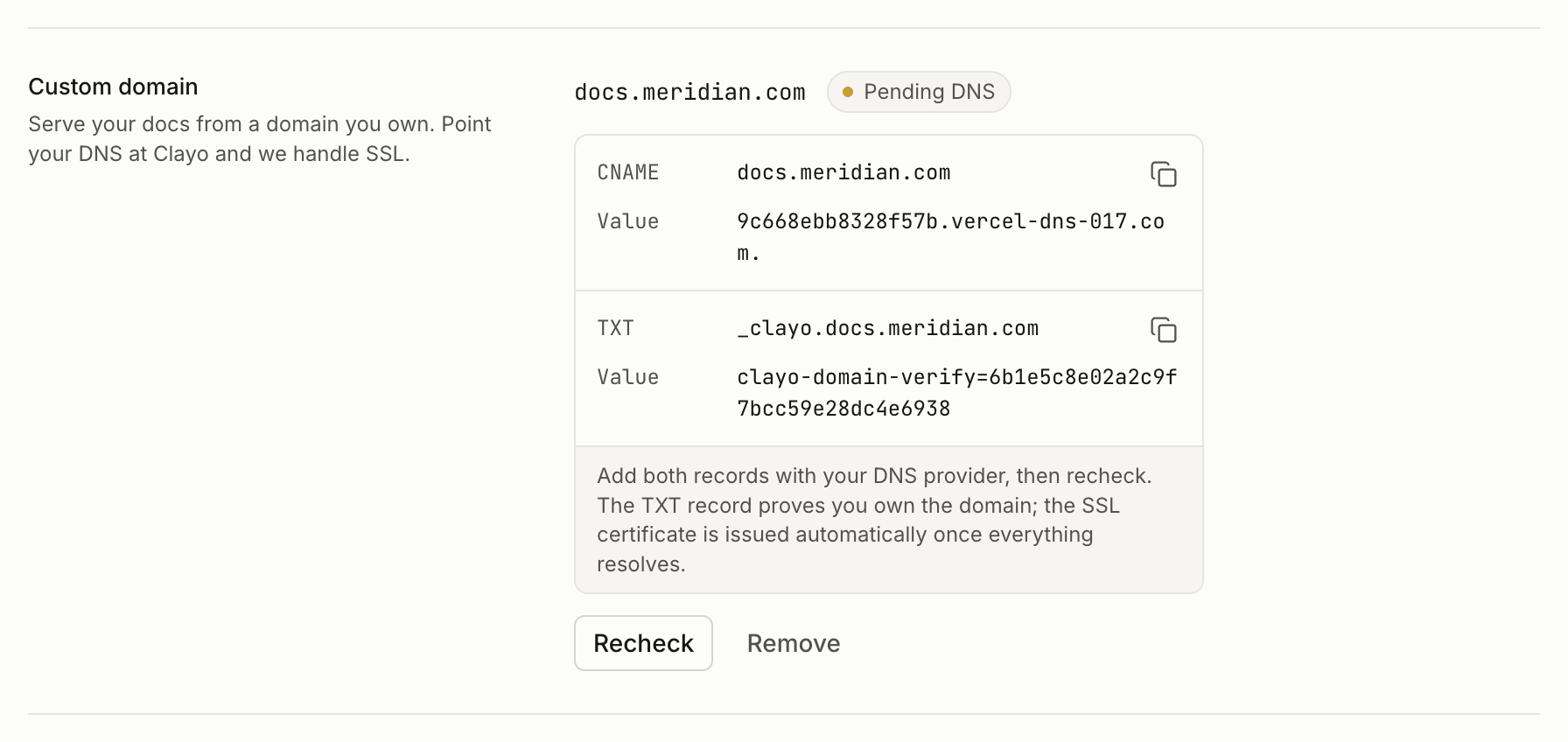
Add two DNS records
The dashboard shows the exact records for your domain. There are always two:
| Record | Name | Purpose |
|---|---|---|
| CNAME (or A for an apex domain) | your domain | Routes traffic to your docs |
| TXT | _clayo.yourdomain.com | Proves you control the domain |
Add both with your DNS provider, using the exact values shown in the dashboard. The TXT record is what makes the connection safe: only someone who controls the DNS zone can attach the domain to a project.
Check the status
Your domain moves through three states:
- Pending DNS: the records are not visible yet
- Needs verification: the domain is registered to another account with our hosting provider, and the TXT record resolves the ownership question
- Active: traffic is flowing and the SSL certificate is issued
The status only advances when you click Recheck. After adding your DNS records, come back to Settings and click Recheck; Clayo does not poll in the background.
DNS changes can take from a few minutes to a few hours to propagate. If Recheck does not move the status, wait a little and try again.
After it goes live
Once active, your custom domain becomes the canonical address. yoursubdomain.clayo.site permanently redirects to it, and your sitemap, llms.txt, internal links, and the URLs your agent reports all switch over automatically.
If you also set a docs base URL for subpath hosting, the base URL wins and becomes the canonical address.
Removing a domain
Remove the domain from the same settings row at any time. Your clayo.site subdomain keeps working throughout, so removing a domain never takes your docs offline.