
Guides/Support widget
Configure the widget
The widget works out of the box, but three settings make it feel native to your product: starter questions, allowed domains, and your support email. All of them live in the dashboard under Settings.
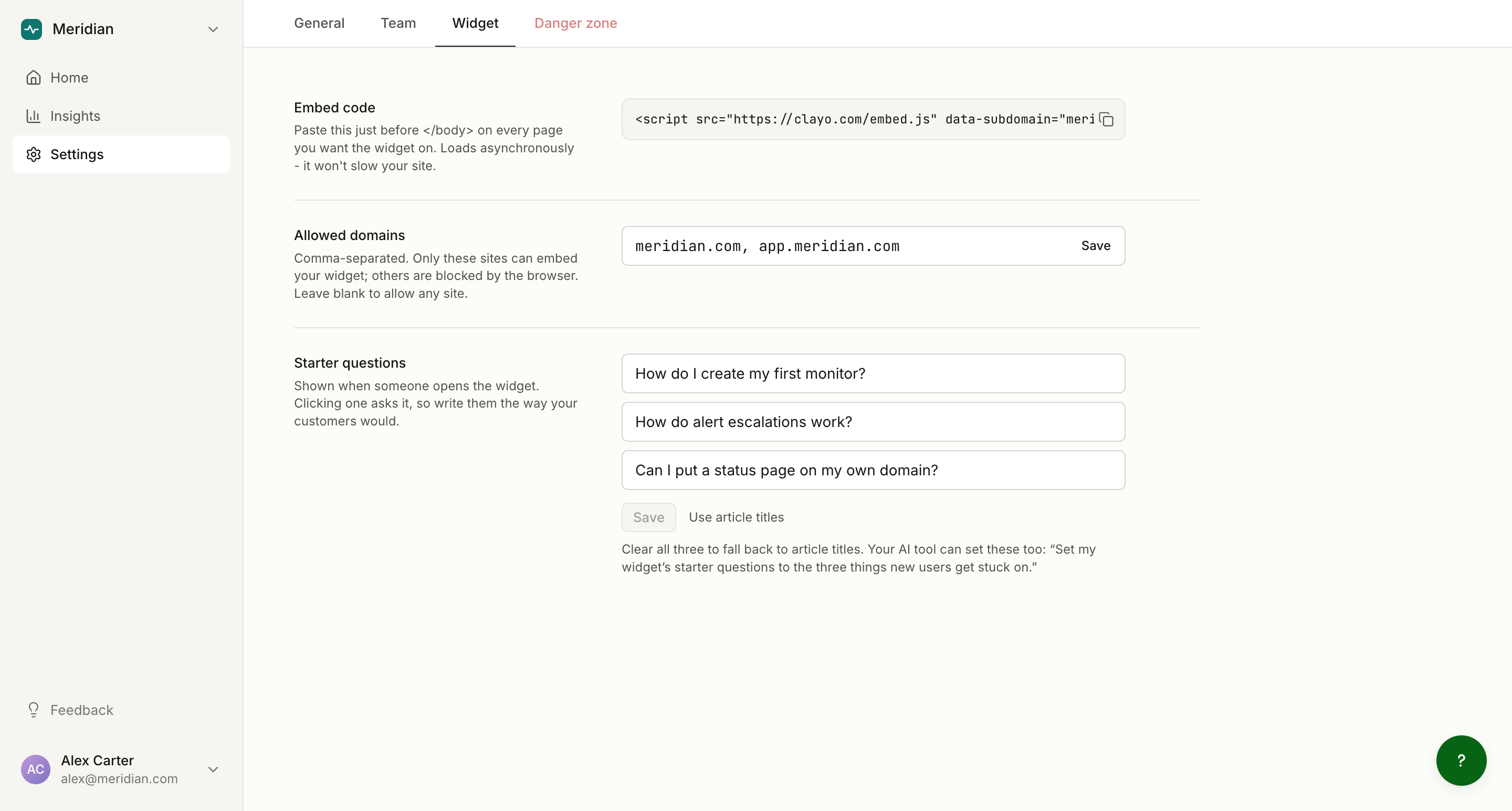
Starter questions
When a visitor opens the Ask tab, up to three suggested questions appear as tappable chips. Good starter questions show visitors what the AI can do and pull them past the blank-box moment.
- You can set up to 3 questions, each up to 120 characters.
- If you set none, Clayo derives starters from your first published article titles, in the same order as your docs site. The settings page shows this live fallback as placeholder text, so what you see is what the widget renders.
- The "Use article titles" button clears your custom questions and returns to the derived fallback.
You can also set them from your coding tool:
Set the widget starter questions to: "How do I connect my domain?",
"What does the free plan include?", and "How do I invite teammates?"
Setting starter questions requires the owner or admin role.
Allowed domains
By default, any site can embed your widget. To restrict it, list the hostnames that are allowed to embed, up to 20, comma separated (for example acme.com, www.acme.com, app.acme.com).
The restriction is enforced in the browser through the widget frame's embedding policy. Treat it as a tidiness control, not a hard security boundary: your docs content is public either way.
Support email fallback
When the AI cannot find an answer in your docs, the widget shows an honest fallback: it says it does not know and offers a button to email your team. That button only renders if a support email is set.
Set it under Settings, in the General tab, in the Support email row. The same address is used by Ask AI on your docs site.
Branding
The widget inherits your project branding automatically: the launcher and accents use your accent color, and the Ask tab's empty state shows your logo. There are no widget-specific color options; set branding once in General settings. See Brand your docs site.