
Guides/Support widget
Add the support widget to your site
The support widget puts your help docs and AI answers on every page of your site. Visitors click a launcher in the corner, ask a question, and get an answer grounded in your published docs without leaving the page.
What visitors get
The widget opens as a small panel with two tabs:
- Ask: a chat box where visitors ask questions in plain language. Answers stream in with numbered citations that link to the source articles. If the AI cannot find an answer in your docs, it says so and offers your support email instead of guessing.
- Browse: your full docs, inside the widget. Visitors can move through sections and collections, search, and read any article without leaving your site.
The launcher is a round button in your accent color, labeled "Ask <your project name>" for screen readers. Branding comes from your project settings: see Brand your docs site.
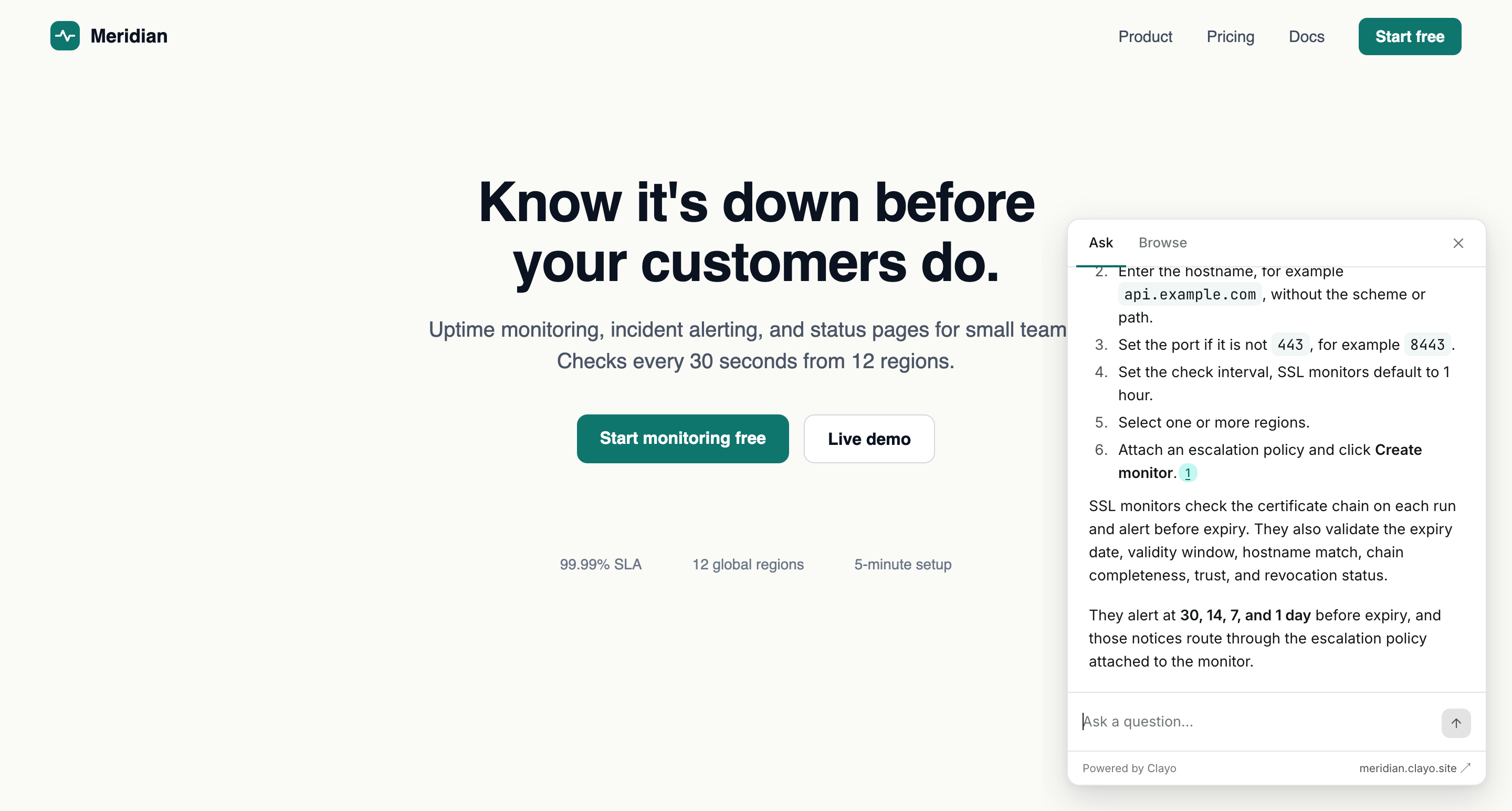 The widget picks up your logo and accent color automatically.
Add the snippet
To add the widget, paste one script tag just before the closing </body> tag on any page where you want it:
<script src="https://clayo.com/embed.js" data-subdomain="acme" async></script>
Replace acme with your project's subdomain (the part before .clayo.site). data-subdomain is the only attribute; there is nothing else to configure in the snippet.
Since the snippet goes into your own site's code, this is a natural job for your AI coding tool:
Add the Clayo support widget to our site. Our Clayo subdomain is acme.
How it behaves on your site
- The script loads asynchronously and does not block rendering or shift your layout.
- The widget renders inside an iframe, so your site's CSS and the widget's styles never conflict.
- It sits in the bottom-right corner, above your page content.
- On small screens the open panel goes fullscreen so it stays usable on phones.
- Including the snippet twice is safe; the widget only renders once.
If the widget does not appear
- Check the browser console. An invalid
data-subdomainvalue logs an error and renders nothing. - If you restricted embedding to specific domains, make sure the current site is on the list. See Configure the widget.
Once the widget is live, starter questions and your support email fallback are worth setting up next: Configure the widget.